


MORE THAN A LOGBOOK
Everything Connected. Everything Within Reach.
Your logbook, radios and operating tools shouldn't feel like separate pieces of software.
QSO Director brings them together in one flexible environment, connecting live radio information, DX activity, callsign details and your operating history so the information you need is available when you need it.
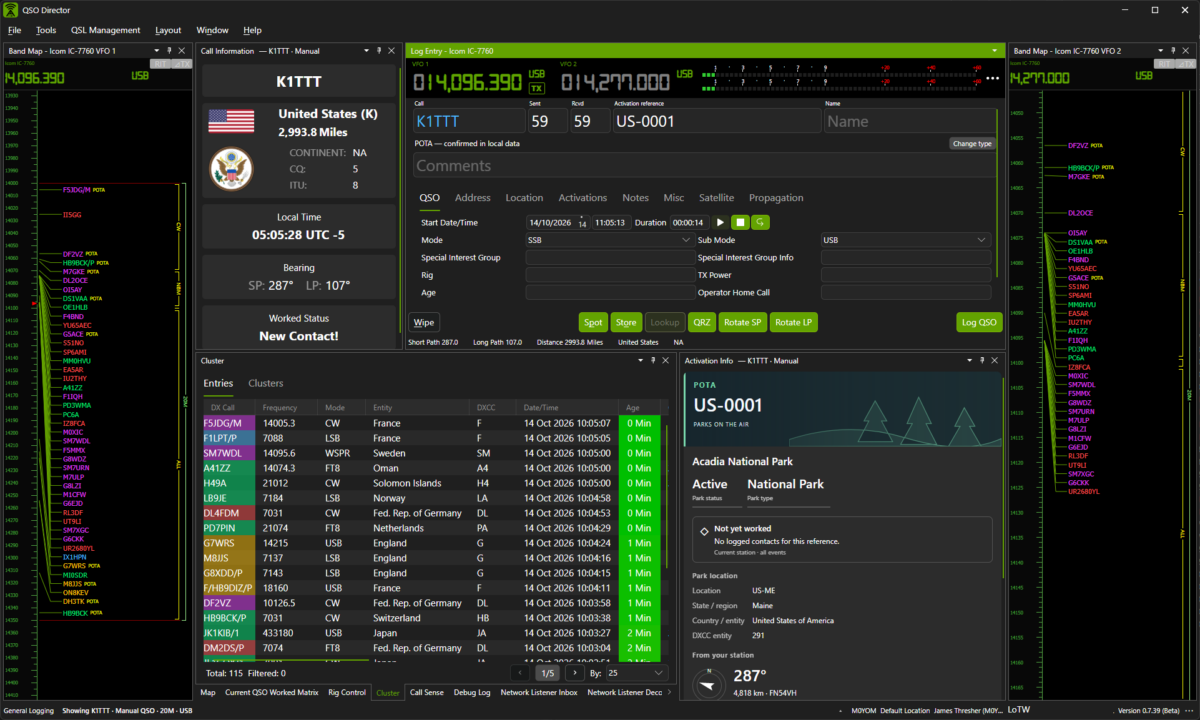

From discovery to contact
EXPLORE THE CAPABILITIES
From Everyday Logging to Connected Station Control.
Whether you're logging everyday QSOs, chasing DX, operating portable or managing your station equipment, QSO Director brings a growing range of capabilities into one flexible application.
Explore the tools that support the way you operate.

Logging & QSO Management
Log everyday contacts with live radio information, callsign lookups and previous QSO history. Search, organise and maintain your logbook, with ADIF import and export when you need it.

DX & Band Awareness
Discover stations worth working with unified DX cluster spots, interactive Band Maps, worked and needed information, powerful filtering and configurable alerts.

Station Control
Bring compatible radios, amplifiers, rotators and antenna switches into your operating workspace, with equipment controls and live information where you need them.

Digital Modes & Integrations
Connect digital-mode applications including WSJT-X, JTDX & WS Suite, automate LoTW and eQSL workflows, and upload contacts to supported online logbooks such as QRZ.com and Club Log.
Activations
Plan and manage POTA, SOTA and other activations with dedicated setup, focused logging and live progress statistics — while keeping every contact in your main logbook.

Cloud & Multi-Station
Keep your QSO history synchronised across computers with QSO Director Cloud. Manage multiple stations and operating locations while keeping your contacts organised.
FLEXIBLE BY DESIGN
Your Workspace. Your Way of Operating.
No two amateur radio stations are quite the same, and your software shouldn't force you into a fixed way of working.
QSO Director lets you arrange, resize, dock and float its tools to create an operating environment that suits you. Keep things simple for everyday QSOs or build a more information-rich workspace for DX hunting, digital modes and station control.
Customisable Workspaces
The tools you need, where you want them.
Arrange your operating windows to suit your setup, then save different layouts and switch between them as your operating changes.

Cross-Platform
One application. Three operating systems.
Use QSO Director on Windows, macOS and Linux, with a familiar interface and consistent operating experience across your computers.
Multi-Station & Cloud
Your logbook, wherever you operate.
Manage multiple stations and operating locations, with optional cloud synchronisation keeping your QSO records connected across computers.
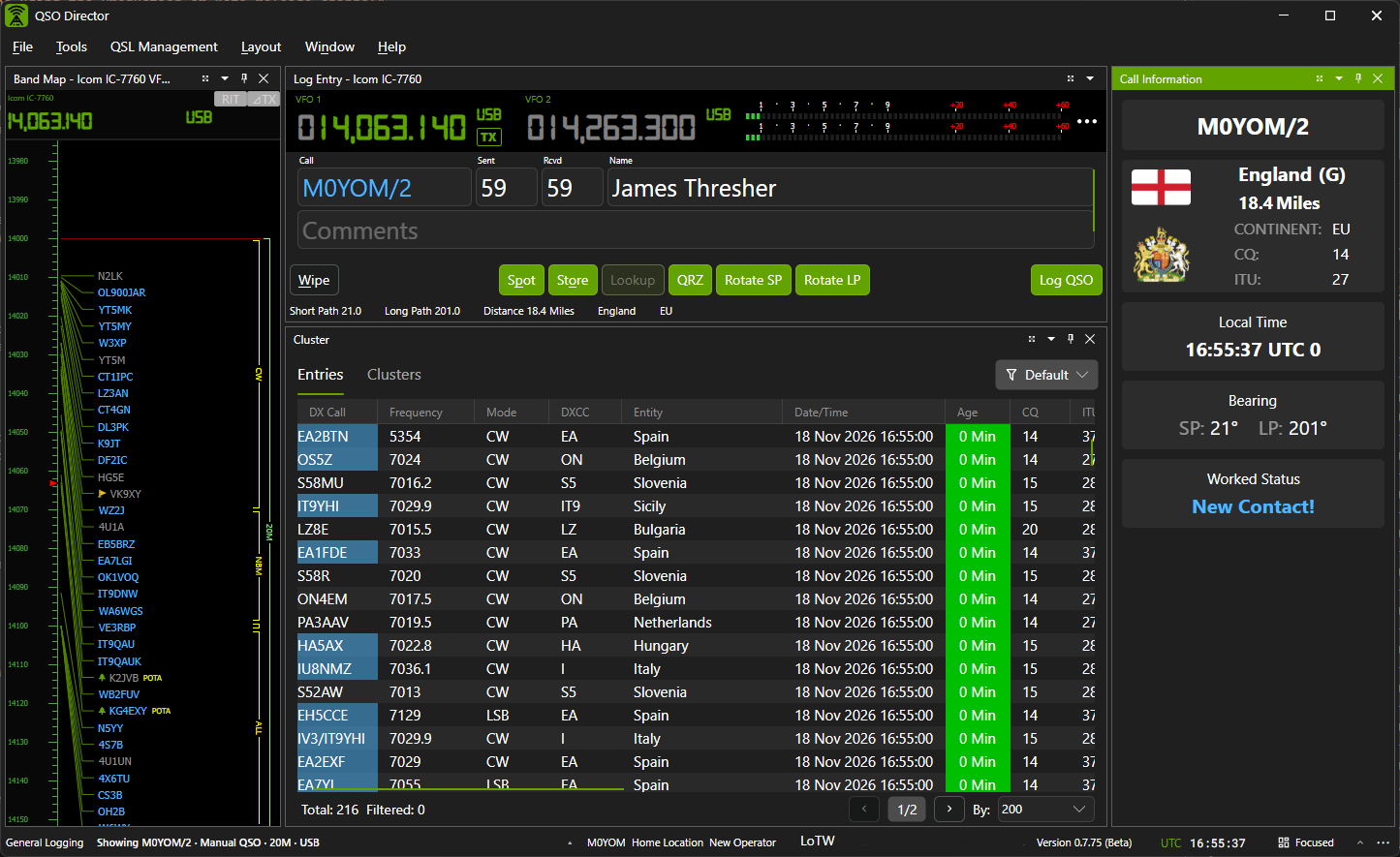
Focused Logging

DX & Station Operations

James Thresher, M0YOM
Founder & Developer, QSO Director
"When I put my name on QSO Director, I take responsibility for it."
30+
years software engineering
19+
years amateur radio
Full Time
product development
ENGINEERED WITH PURPOSE
Built by an Operator. Engineered for the Long Term.
Your logbook contains contacts you may never make again. The software you trust with your operating history and station equipment deserves the same care and consideration as the hardware in your shack.
Professional Engineering. Real Operating Experience.
QSO Director is designed and developed by James Thresher, M0YOM, a licensed radio amateur with more than 30 years of professional software engineering experience.
Having spent nearly two decades helping build and grow a successful commercial software business, James now works full-time on QSO Director, bringing that experience to an application designed specifically for amateur radio.
As an active operator with interests in DXing, contesting and station automation, he understands the practical challenges of modern stations and the importance of software that's carefully designed, responsive and dependable.
READY TO GET ON THE AIR?
Experience QSO Director on Your Own Station.
You've seen what QSO Director can do. Now discover how it fits the way you operate.
Start your 14-day free trial, explore the available features and see how QSO Director works with your logbook, compatible equipment and everyday operating routines.
14 Days to Explore
Get hands-on with QSO Director's logging, DX, station-control and operating tools. Take the time to discover what works best for your station.
Affordable, Flexible Pricing
Pay nothing today. Choose a monthly subscription at £3.50 or an annual subscription at £37.80 when you register, with your first 14 days free. Cancel anytime.
Early Access Advantage
Join during Early Access and keep your discounted subscription rate for as long as your subscription remains active. You'll receive ongoing updates and have the opportunity to help shape future development.
YOUR FREE TRIAL
14 Days Free
Explore QSO Director on your own station for 14 days before your first payment.
Monthly
£3.50
per month
Annual
£37.80
per year
Pay nothing today · Cancel anytime
QSO Director is already available to use and continues to grow through its Early Access programme. New features and improvements are being introduced regularly, and your feedback helps guide its development.
BEFORE YOU GET STARTED
Questions Before You Get Started?
Trying new amateur radio software is a significant decision, especially when you already have an established logbook and station setup.
Here are answers to some of the practical questions you might have before giving QSO Director a try.