
eQSL synchronisation, without the extra administration.
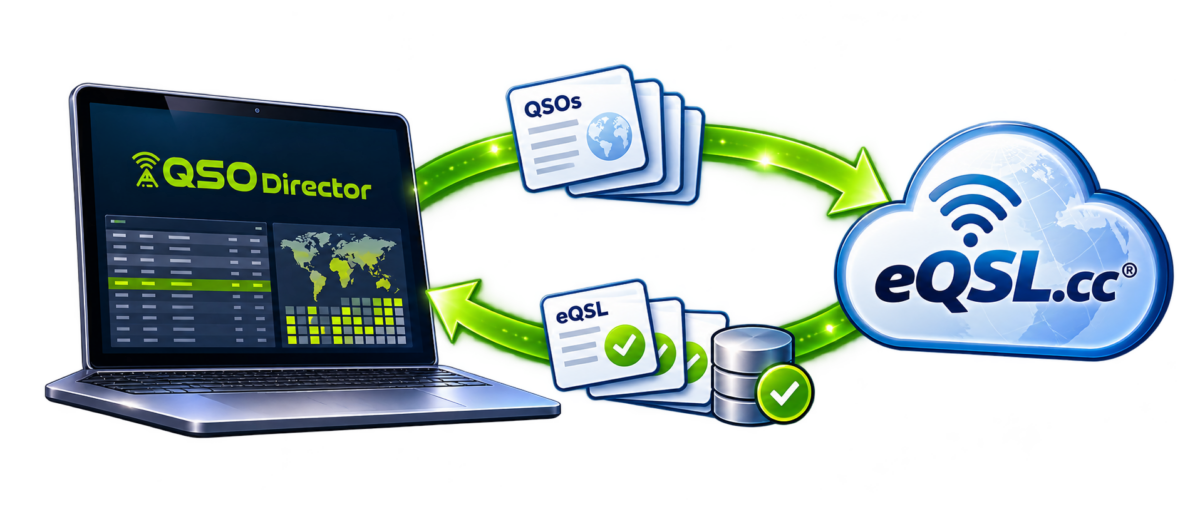
QSO Director makes electronic QSL management straightforward. Connect your eQSL.cc account using your callsign and password, then let QSO Director automatically upload contacts and download confirmations in the background.
Prefer your contacts to be submitted sooner? Enable near-real-time uploads. And whether you operate from one station or several, QSO Director supports multiple eQSL accounts and operating locations, with downloaded confirmations reflected in your Worked Matrix.
Explore Automatic Synchronisation →
Available for Windows, macOS and Linux.
AUTOMATIC eQSL SYNCHRONISATION
Log your contacts. Let QSO Director handle the rest.
Once you've connected your eQSL.cc account, QSO Director can take care of routine QSO uploads and confirmation downloads automatically.
No repeated ADIF exports or manual submissions after each operating session. Just keep logging your contacts while QSO Director handles the eQSL activity in the background.
Automatic uploads, without the extra steps
QSO Director automatically submits your logged contacts to eQSL.cc, removing the need to manually upload new QSOs after every operating session.
Your electronic QSL submissions become part of your normal logging workflow, rather than another task to remember.
Prefer faster uploads? It's your choice.
Want newly logged contacts submitted without waiting for the next scheduled batch?
Enable near-real-time uploading and QSO Director will automatically initiate submissions as new contacts are logged.
Whether you prefer routine background uploads or more immediate submissions, you can choose the approach that suits your operating style.
Confirmations come back automatically
QSO Director also downloads eQSL confirmation information and matches it with contacts in your logbook.
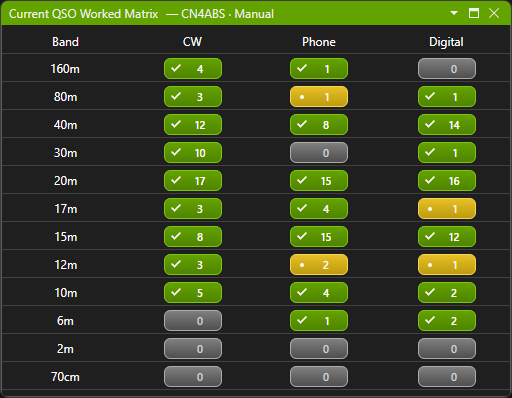
Confirmed status is reflected in the Worked Matrix, helping you see which band and mode combinations you've worked and which have been confirmed — without having to check eQSL separately.
eQSL ACCOUNTS & OPERATING LOCATIONS
Multiple eQSL accounts. Multiple locations. One connected workflow.
Whether you operate from one station or several, QSO Director makes it straightforward to connect your eQSL accounts with your logging environment.
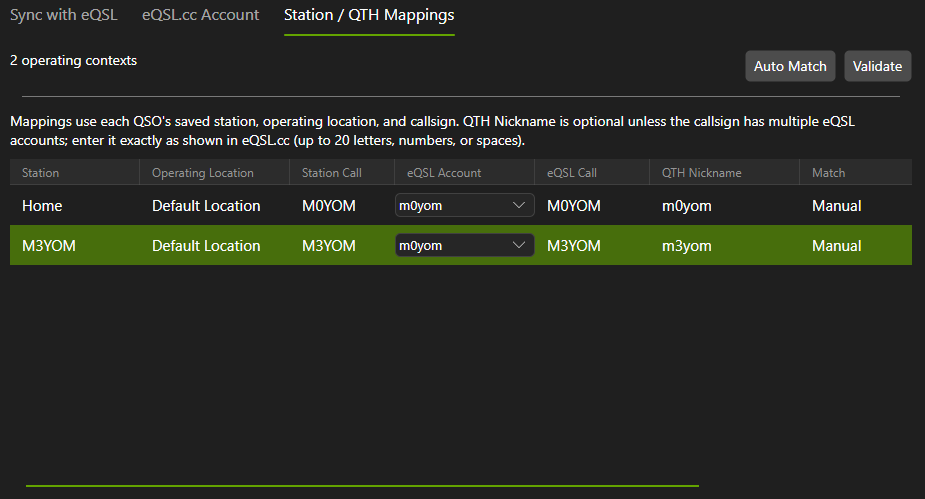
Add your eQSL.cc accounts using their callsigns and passwords, then associate them with your stations and operating locations. QSO Director can automatically identify matching accounts, while giving you control over the eQSL QTH used for each location.
All your eQSL accounts in one place
Using more than one callsign or eQSL account? No problem.
QSO Director supports multiple eQSL accounts, allowing you to configure them together within the application.
When a single configured account matches your operating callsign, QSO Director can automatically establish the account association, reducing the amount of manual setup required.
The right eQSL QTH for each operating location
Operating from home, portable locations or multiple stations?
You can associate individual QSO Director stations and locations with the appropriate eQSL QTH Nicknames, including different QTHs under the same eQSL account.
Simply enter the relevant QTH Nickname and let QSO Director validate it against eQSL, helping you confirm that the configuration is recognised.
Location-aware synchronisation
Once your accounts and operating locations are associated, QSO Director uses those mappings when synchronising contacts with eQSL.
Each QSO is handled according to its recorded station, operating location and callsign, allowing submissions and downloads to use the appropriate configured account and QTH.
No need to manually switch between accounts after every operating session.
HISTORICAL eQSL RECONCILIATION
Already using eQSL? Your existing submissions aren't forgotten.
Switching logging applications shouldn't mean starting again with your electronic QSL history.
If you've previously submitted contacts to eQSL.cc using another logger, QSO Director can automatically reconcile those submissions against your existing logbook, helping keep your records accurate without unnecessary repeat uploads.
Your previous uploads, recognised
Before automatic batch uploads, QSO Director checks your existing eQSL submission history and matches previously uploaded contacts against QSOs in your logbook.
Successfully matched contacts are recognised as already submitted, rather than being treated as new contacts waiting to be uploaded.
A smoother move to QSO Director
Already have years of QSOs in your logbook? Reconciliation helps bring your previous eQSL activity into your new logging environment.
There's no need to manually work through your entire logbook marking previously submitted contacts. QSO Director handles matching automatically, using the appropriate eQSL account and QTH associations.
Careful matching, not guesswork
QSO Director uses your contact information and configured account and location mappings to identify previous submissions.
Where a contact can't be matched reliably, its existing status is preserved rather than making an uncertain assumption.
Once your records are aligned, QSO Director can continue handling new submissions and confirmation downloads through its normal synchronisation process.
eQSL CONFIRMATIONS & WORKED MATRIX
Your eQSL confirmations, right where you need them.
Uploading your contacts is only part of electronic QSL management. Knowing which contacts have been confirmed is just as important.
QSO Director automatically downloads confirmation information from eQSL.cc and matches it with your existing logbook, bringing confirmed status into your everyday operating environment.
Worked and confirmed, at a glance
The Worked Matrix makes it easy to distinguish between contacts you've worked and those that have been confirmed.
Explore your operating history across bands and modes, with confirmation information kept up to date through automatic synchronisation.
Explore individual callsigns and DXCC entities
Want to review your history with a particular station, or see which band and mode combinations you've worked for a DXCC entity?
Switch between callsign and DXCC entity views in the Worked Matrix to see your worked and confirmed status in a clear, organised format.
One connected confirmation history
QSO Director brings eQSL confirmations together with the rest of your logging information.
If you also use LoTW, confirmation information from both services contributes to your Worked Matrix, giving you a more complete picture of your operating history without having to manage separate confirmation views.
eQSL INTEGRATION FAQ
Frequently asked questions about eQSL integration
From connecting your eQSL.cc account to managing multiple operating locations and automatic confirmations, here are answers to common questions about using eQSL with QSO Director.
Also using Logbook of The World?
QSO Director supports automatic LoTW synchronisation too, including TQSL integration, station and location matching, historical reconciliation and confirmation downloads.