
Your activations. Your contacts. All in one place.
Whether you're activating a park, summit, island or lighthouse, QSO Director helps you organise your activation and log contacts without leaving your familiar operating environment.
Start a new activation or continue an existing one, work with a focused virtual log, and follow your activation statistics as you operate. Every QSO remains part of your main logbook, so there's no need to maintain separate logs or transfer contacts afterwards.
Prefer hunting activators? QSO Director also provides activation-aware DX cluster filtering, POTA integration and intelligent reference recognition to make finding and logging activation contacts easier.
Available for Windows, macOS and Linux.
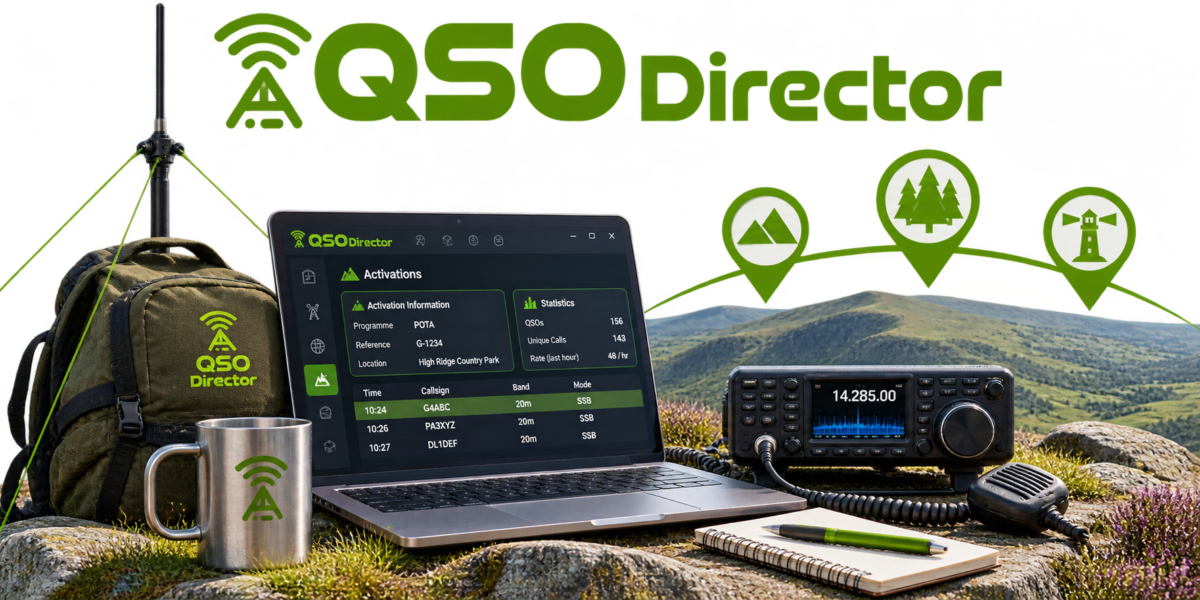
SUPPORTED ACTIVATION PROGRAMMES
17 activation programmes. One connected operating environment.
From parks and summits to islands, lighthouses, castles and more, QSO Director supports a wide range of amateur radio activation programmes.
Whether you're heading out for a POTA activation, chasing summits with SOTA or operating from somewhere less conventional, QSO Director gives you a familiar environment for managing your activation and logging contacts.
POTA
Parks on the Air
SOTA
Summits on the Air
IOTA
Islands on the Air
WWFF
World Wide Flora & Fauna
More programmes supported
ACTIVATION SETUP & MANAGEMENT
From choosing your location to getting on the air.
Getting ready for an activation shouldn't involve complicated configuration.
QSO Director guides you through setting up your activation, from selecting where you're operating to choosing your activation programme and reference. Whether you're heading out for a new activation or returning to one you've already started, your operating information stays organised.
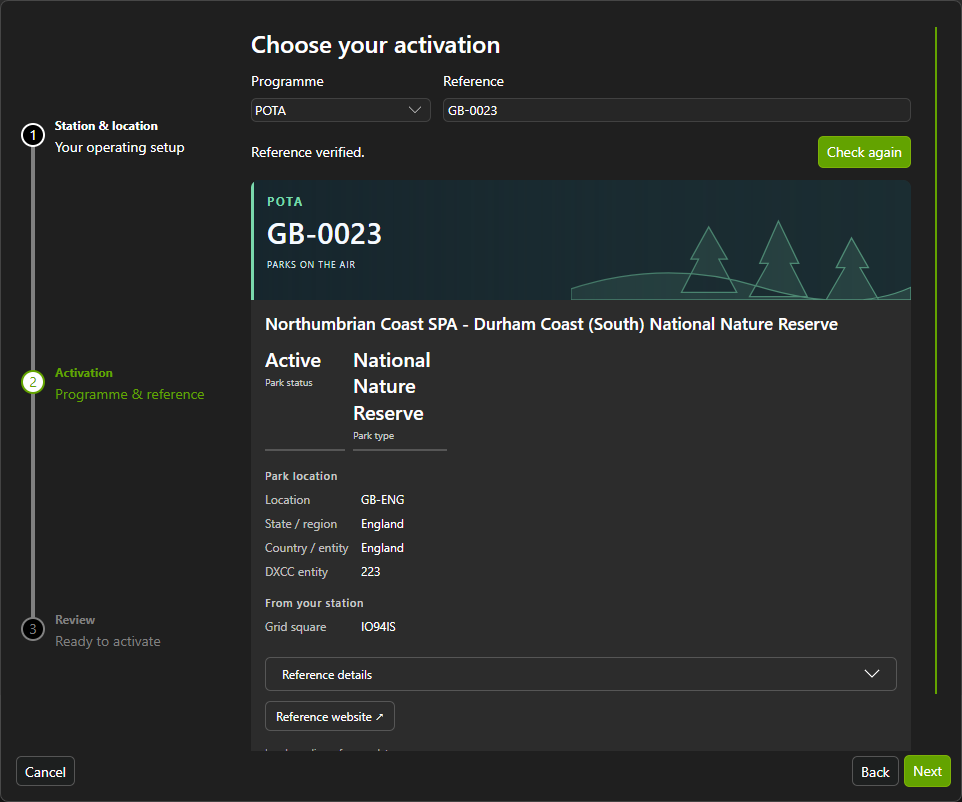
01. Start something new, or pick up where you left off
Planning a new activation? Create a new activation event using QSO Director's guided setup.
Returning to an activation you've already started? Simply select an existing event and continue where you left off.
02. Choose your operating location
Select one of your existing QSO Director operating locations, or add a new location when you need one.
Your activation is associated with the location you're operating from, keeping it connected to your wider station and logging configuration.
03. Select your programme and reference
Choose from QSO Director's 17 supported activation programmes and enter the reference for the location you're activating.
QSO Director then displays information about the selected activation and its reference, with details appropriate to the programme you're using.
04. Make the activation your own
Give your activation event a meaningful name, optionally assign an event reference, and specify its start date and time.
With your activation configured, you're ready to use QSO Director's familiar logging environment, focused on the contacts you make during that activation.
FOCUSED ACTIVATION LOGGING
Your familiar logbook, focused on your activation.
When you're out activating, you want to concentrate on making contacts, not managing different logging systems.
QSO Director's dedicated Activations mode uses the same familiar logging interface as General Logging, but provides a virtual log focused entirely on your current activation.
Your contacts remain part of your main QSO Director logbook, keeping everything together without the need to maintain separate logs.
The same logging experience you already know
There's no new logging interface to learn when you start an activation.
Use QSO Director's familiar QSO Entry and logging tools, with your activation providing the operating context. You can concentrate on making contacts rather than adapting to a different way of logging.
Just the contacts from your activation
Your activation's virtual log shows the QSOs associated with that particular event.
Instead of working through your entire station logbook, you can focus on the contacts you've made during the activation, keeping the information relevant to what you're doing.
One logbook. No separate records to manage.
Even though you're working within an activation-specific view, every contact remains part of your main QSO Director logbook.
There's no separate activation logbook to maintain and no need to transfer contacts into your general log afterwards.
You get the focus of a dedicated activation log with the convenience of a single, connected logging environment.
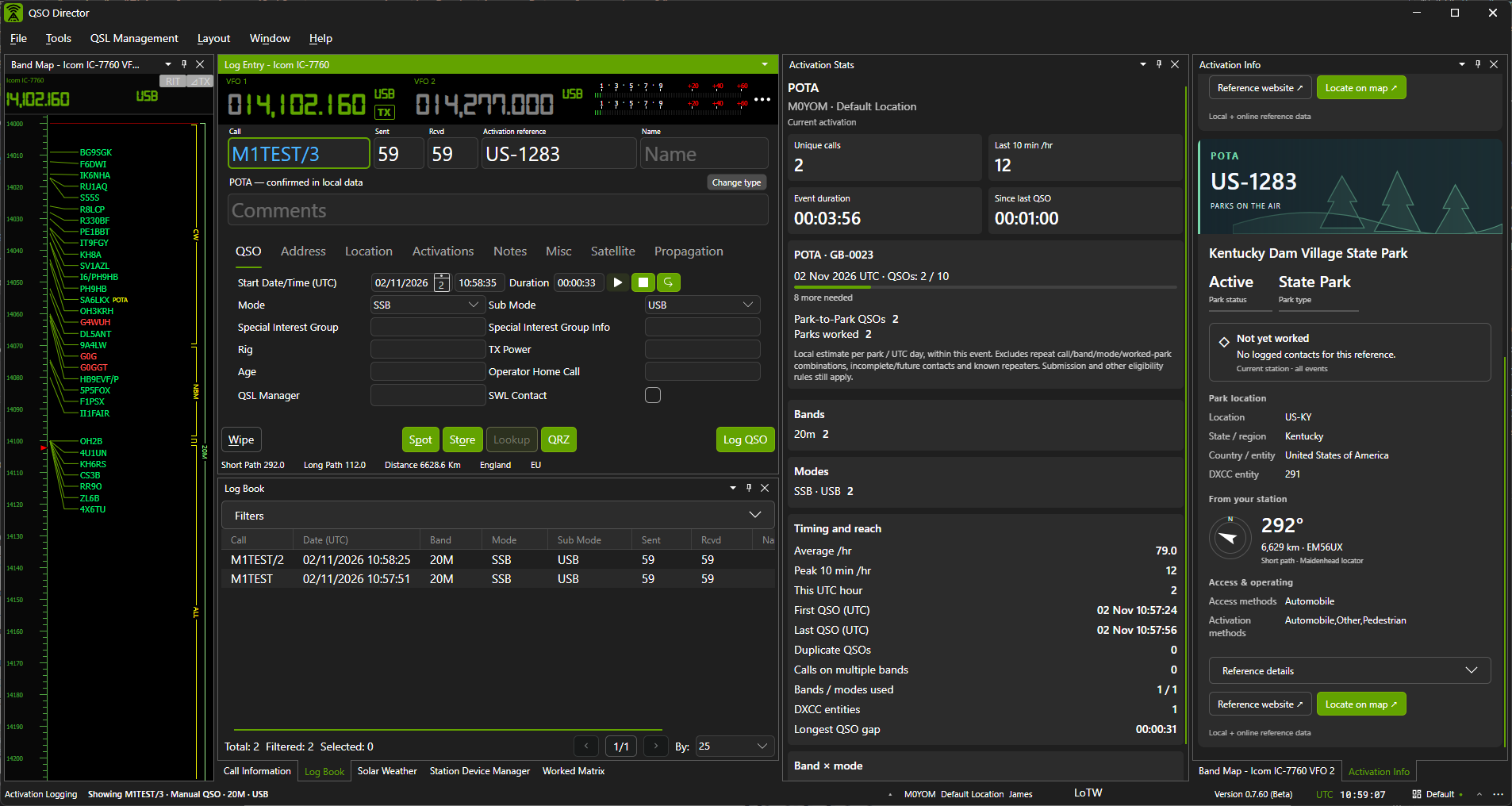
ACTIVATION INFORMATION & STATISTICS
See how your activation is progressing.
Every activation tells a story, and there's more to it than simply counting contacts.
QSO Director provides dedicated Activation Statistics and Activation Information tools, giving you insight into your operating activity while keeping your current activation details close at hand.
From contact totals and QSO rates to band and mode activity, you can see how your activation is developing without having to analyse your logbook separately.
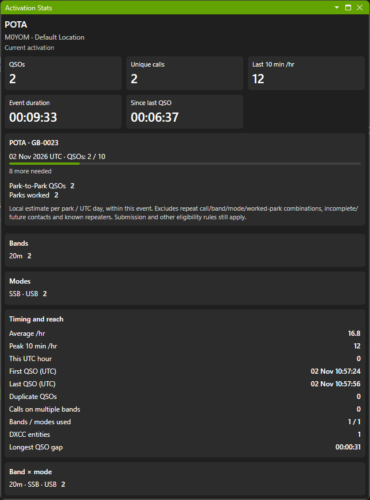
Know how many contacts you've made
See your total QSOs, unique callsigns, duplicates and calls worked on multiple bands.
You can also review the DXCC entities you've worked, giving you a clearer picture of the activity and variety of contacts made during your activation.
Understand your operating pace
Keep track of your QSO rates, average contacts per hour and the number of QSOs logged during the current hour.
Event duration, time since your last QSO and your longest gap between contacts provide additional insight into how your operating session is progressing.
Explore your band and mode activity
See how your contacts are distributed across different bands and operating modes.
Whether you've been working a single band or moving between bands and modes, QSO Director provides a breakdown of your activation activity.
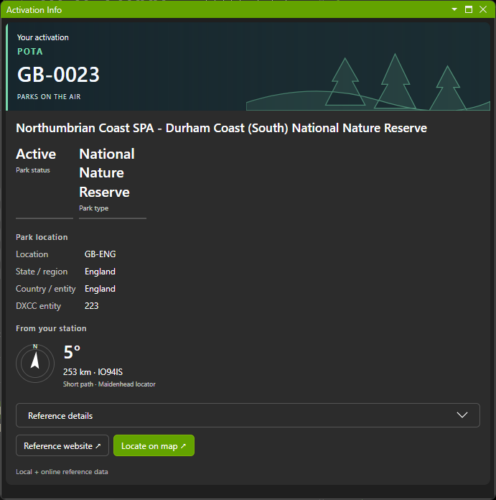
Your activation information, close at hand
The dedicated Activation Information tool gives you access to your current activation reference and its associated information.
With programme-specific details available alongside your logging tools, you can stay focused on operating while keeping the information about your activation within easy reach.
ACTIVATION HUNTING & CHASING
Find activators. Recognise their references. Log the contact.
You don't have to be the one heading out into the field to benefit from QSO Director's activation tools.
Whether you're hunting POTA stations, chasing summits or collecting contacts from other activation programmes, QSO Director helps you find relevant stations and record their activation details, all within your normal logging environment.
Find the activations that interest you
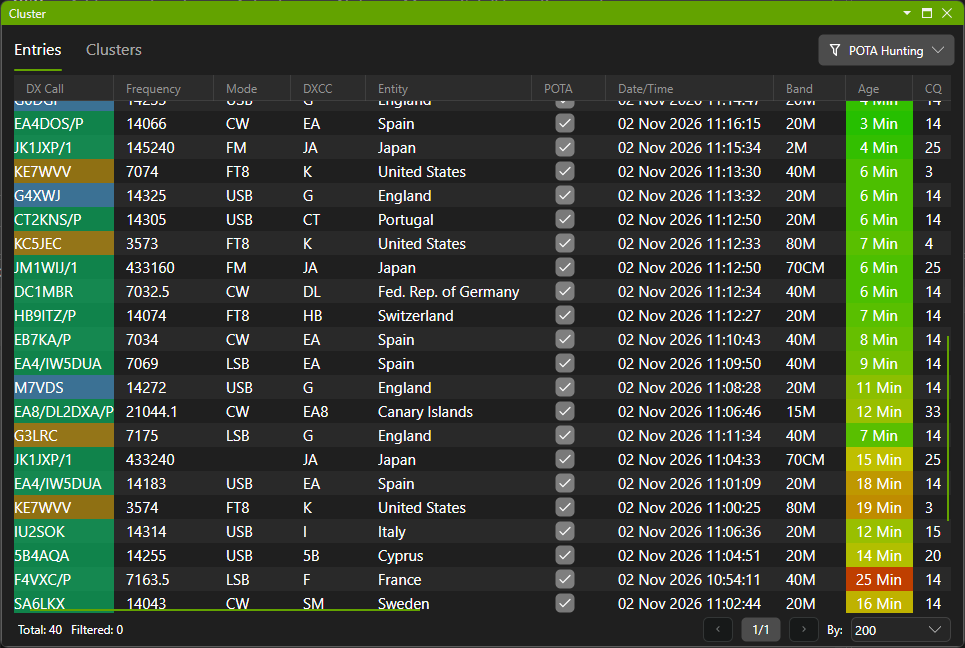
QSO Director's DX cluster filtering helps you identify stations involved in activation programmes, making it easier to focus on the contacts you're looking for.
With activation-aware cluster information available alongside your logging tools, you can spend more time making contacts and less time searching through unrelated spots.
Integrated POTA spotting and activation information
Hunting Parks on the Air?
QSO Director supports integration with the POTA cluster and POTA activations list, giving you additional ways to find stations participating in the programme.
Activation references available from the POTA cluster can also be populated automatically when logging contacts, reducing the need for manual entry.
Activation references, automatically recognised
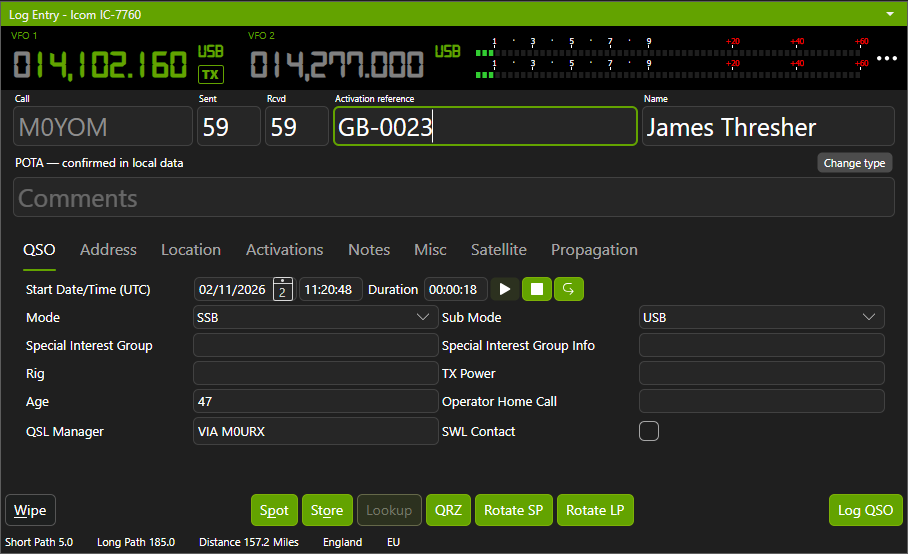
When an activation reference is available from a cluster spot, QSO Director can automatically populate it in QSO Entry.
If you're given a reference directly, simply enter it into the single Activation Reference field.
QSO Director identifies the activation programme from the reference and populates the appropriate programme-specific fields in your QSO, without requiring you to select the programme manually.
Keep hunting in your familiar logbook
Hunters and chasers don't need to switch into the dedicated Activations mode.
The activation-aware cluster tools and reference handling are available within QSO Director's normal General Logging environment, keeping your hunting activity connected to the rest of your operating history.
ACTIVATION LOG EXPORT
Your activation contacts, ready to export.
When you've finished your activation, getting your contacts ready for submission shouldn't mean searching through your entire logbook.
QSO Director lets you export just the QSOs associated with your selected activation, keeping the process straightforward while leaving all your contacts safely within your main logbook.
ACTIVATIONS FAQ
Frequently asked questions about activation logging
Whether you're activating a park, chasing a summit or exploring other amateur radio activation programmes, here are answers to common questions about using QSO Director for activations.