
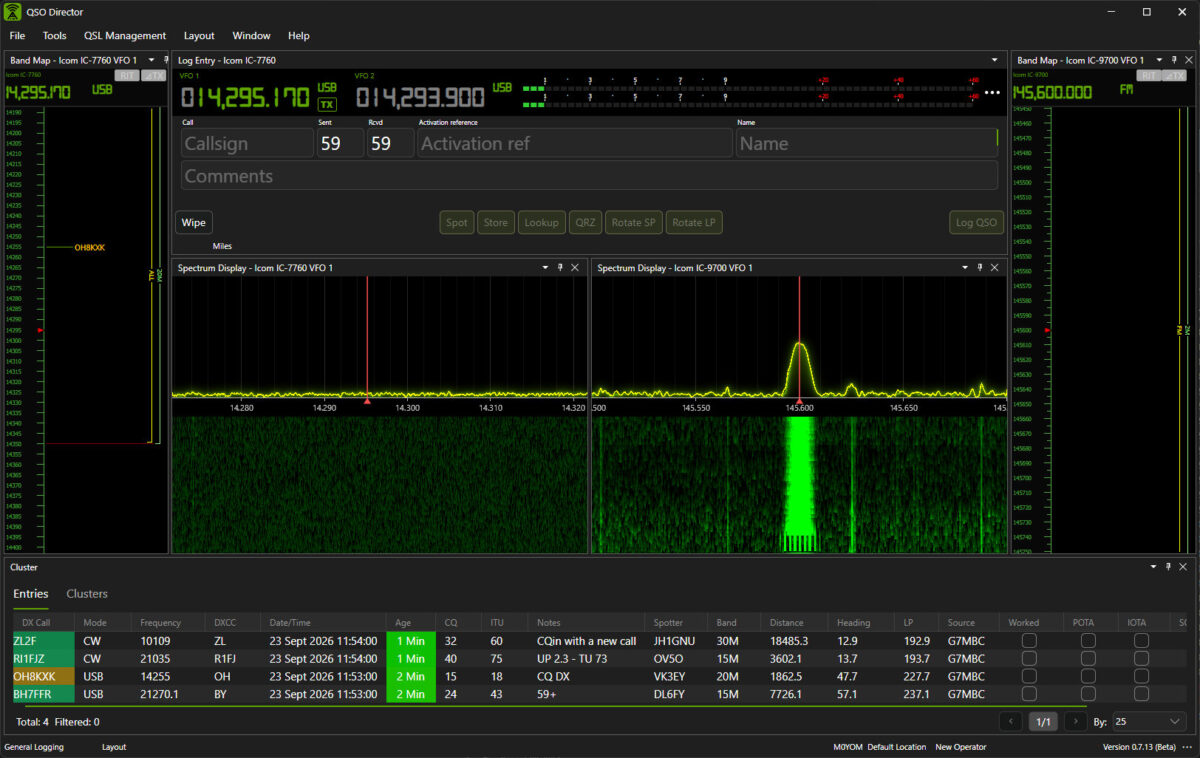
More than basic CAT control
Radio control should be part of your operating environment, not another application you have to manage.
Comprehensive Radio Control
Control the functions your radio makes available, from frequency and mode through VFO selection, filters, gain and other supported capabilities.
Capability-Aware Interface
QSO Director understands that every radio is different. Controls are presented according to the capabilities supported by the connected radio rather than forcing every transceiver into the same generic interface.
Connect Other Software
QSO Director can provide a Hamlib rigctld-compatible or TCI server, allowing compatible third-party applications to share access to your radio.
Integrated Station Control
Bring your radio together with supported amplifiers, rotators and antenna switching in the same operating environment.
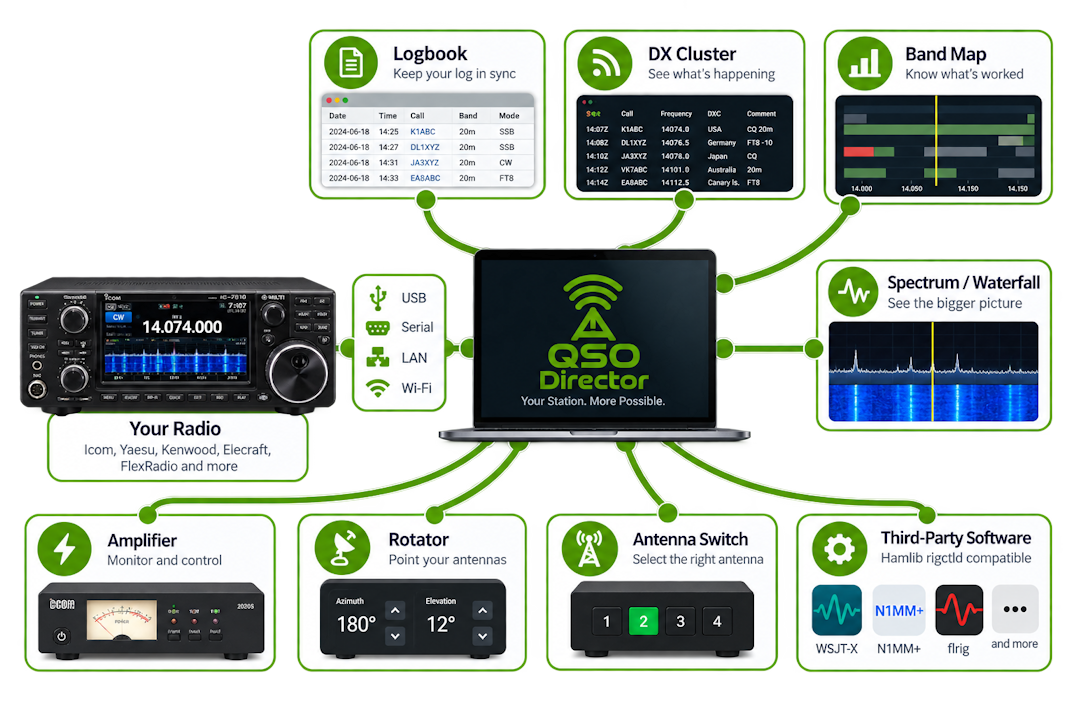
Connect the way your radio was designed to connect
CAT control no longer means just connecting a serial cable.

USB / Serial
Traditional CAT and CI-V connections for a huge range of current and classic radios.

LAN / Ethernet
Direct network control for supported modern transceivers without routing everything through virtual serial ports.

Wi-Fi / Network
Connect to supported radios available across your station network.
Native Protocols
Where appropriate, QSO Director can communicate using the radio manufacturer's native protocol rather than treating every radio as a generic CAT device.
Your radio is part of QSO Director
One radio connection. A connected operating environment.
Connecting your radio to QSO Director does more than keep the frequency and mode in sync. It makes the radio part of your wider operating environment.
QSO Director can use information from the connected radio throughout the application, bringing together logging, DX spotting, band activity and station control without requiring separate connections for every tool.
Keep your logbook in sync
Frequency, mode and other available information from your radio can flow directly into QSO Director, reducing manual entry and helping keep your log accurate.
See activity in context
Combine your current operating frequency with DX Cluster spots, worked status and band information, so you can see what's happening around you while you operate.
Bring radio and station control together
Your radio doesn't operate in isolation. QSO Director brings radios, amplifiers, rotators and antenna switching into the same station-control environment.
One connection, used throughout QSO Director
Configure the radio once and QSO Director can make that connection available to the tools that need it, rather than treating radio control as a separate application.
One connection, used throughout your station
Configure your radio once and QSO Director can make that connection available to the tools that need it. QSO Director can also provide a Hamlib rigctld-compatible server, allowing compatible third-party applications to access radio control through QSO Director without establishing their own connection to the radio.
See what's happening across the band
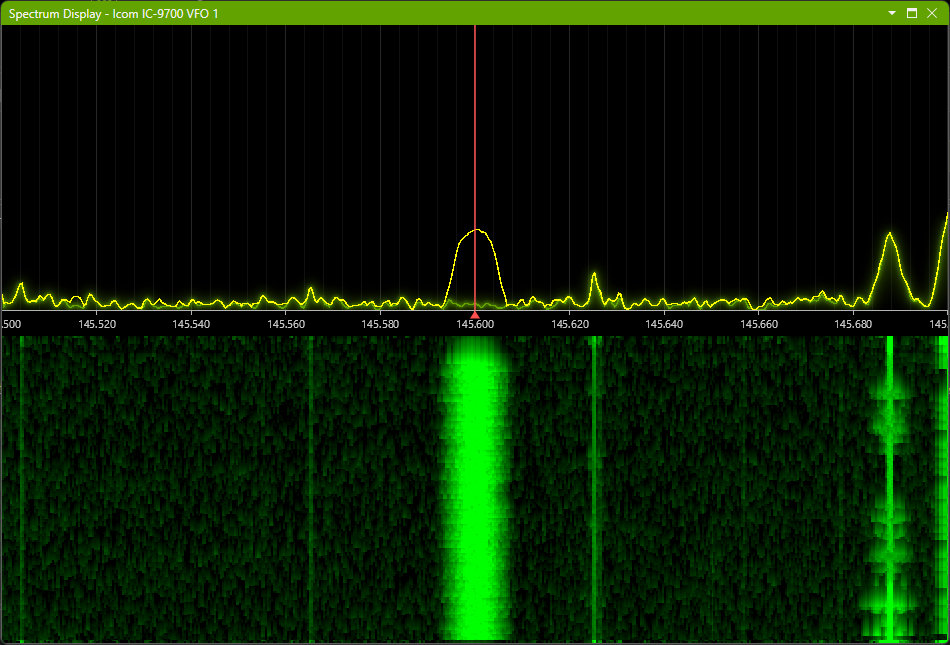
Spectrum and waterfall
For supported radios, QSO Director can display spectrum and waterfall information directly from the transceiver, giving you a live view of activity across the band without leaving your operating workspace.
Watch signals as they appear
The spectrum display provides an immediate view of signals around your current frequency, while the waterfall makes it easier to see activity developing and changing over time.
Tune visually
Use the spectrum as part of the way you navigate the band, moving quickly from what you can see to the signals you want to investigate.
A display built for operating
Adjust the spectrum and waterfall presentation to suit the way you operate, with configurable display behaviour, signal processing and visualisation options.
Integrated with the rest of QSO Director
Spectrum information sits alongside your radio, logging, DX and band information rather than requiring another stand-alone spectrum application.
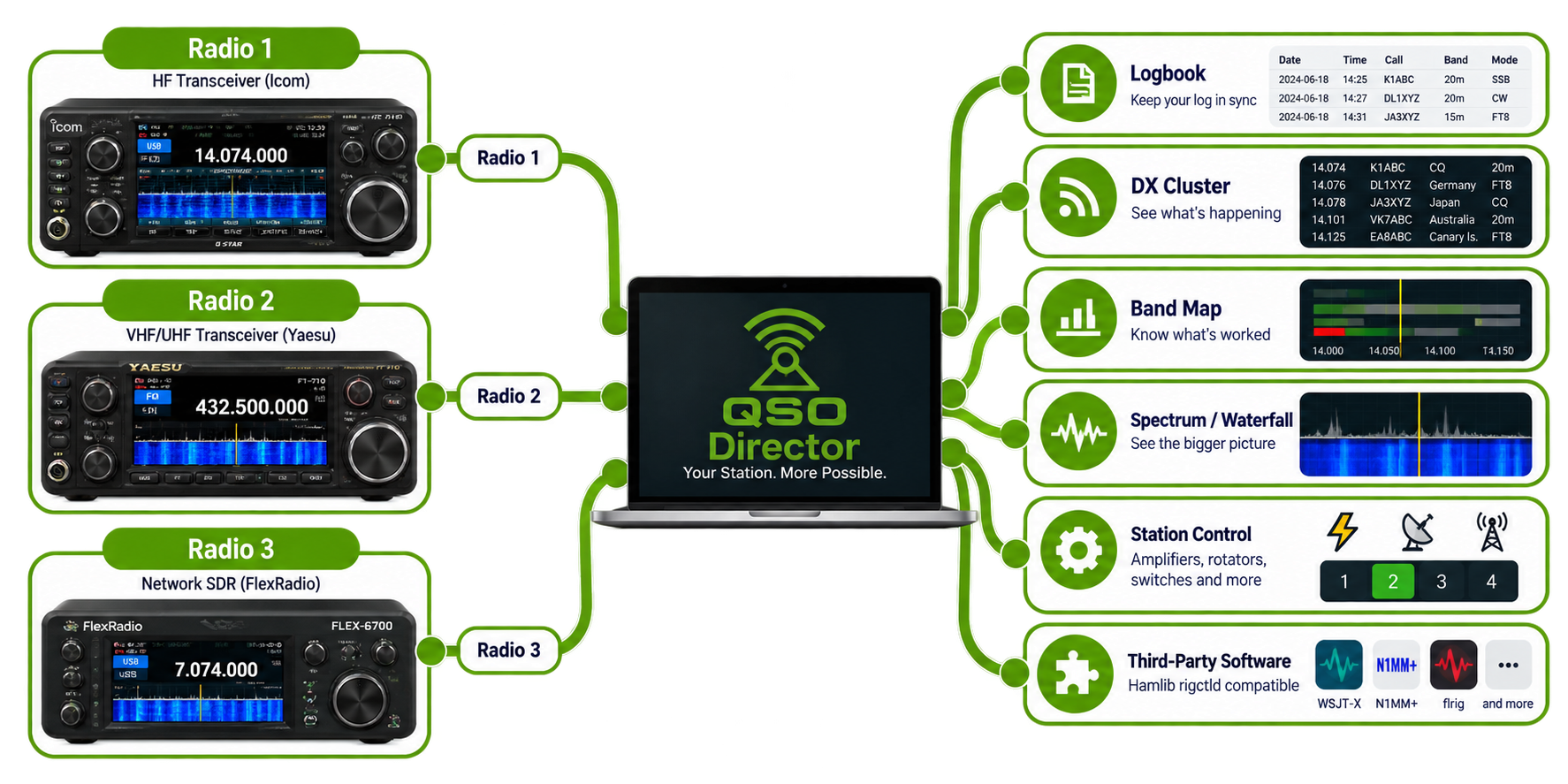
Built for more than one radio
Many amateur radio stations don't stop at a single transceiver. QSO Director is designed with multi-radio stations in mind, whether you operate different radios for HF and VHF/UHF, maintain dedicated operating positions or simply want more than one radio available within the same application.
Connect multiple radios
Configure multiple supported transceivers within QSO Director rather than having to replace one radio configuration whenever you change equipment.
Choose which radio a tool uses
Radio-aware tools can be associated with the appropriate radio, allowing different parts of your QSO Director workspace to work with the equipment you choose.
Different radios, different capabilities
QSO Director doesn't assume every transceiver works the same way. Each radio exposes the capabilities available through its particular hardware and control protocol.
Ready for more complex stations
The same architecture that supports a straightforward single-radio station provides the foundation for more sophisticated multi-radio operating arrangements.





Radio control without being tied to Windows
QSO Director runs on Windows, macOS and Linux, bringing the same integrated radio and station-control environment to each platform.
Looking for ham radio control software for macOS or Linux? QSO Director provides the same radio-control environment across all three desktop platforms.

Windows

macOS

Linux
Your radio is only part of the station
Modern amateur radio stations contain far more than a transceiver. Amplifiers, rotators, antenna switches and network-connected equipment all form part of the operating environment.
QSO Director is designed to control the station as a whole. Hardware state is integrated with the rest of the application, allowing your logging, operating and station-control tools to work together rather than as separate utilities.


