
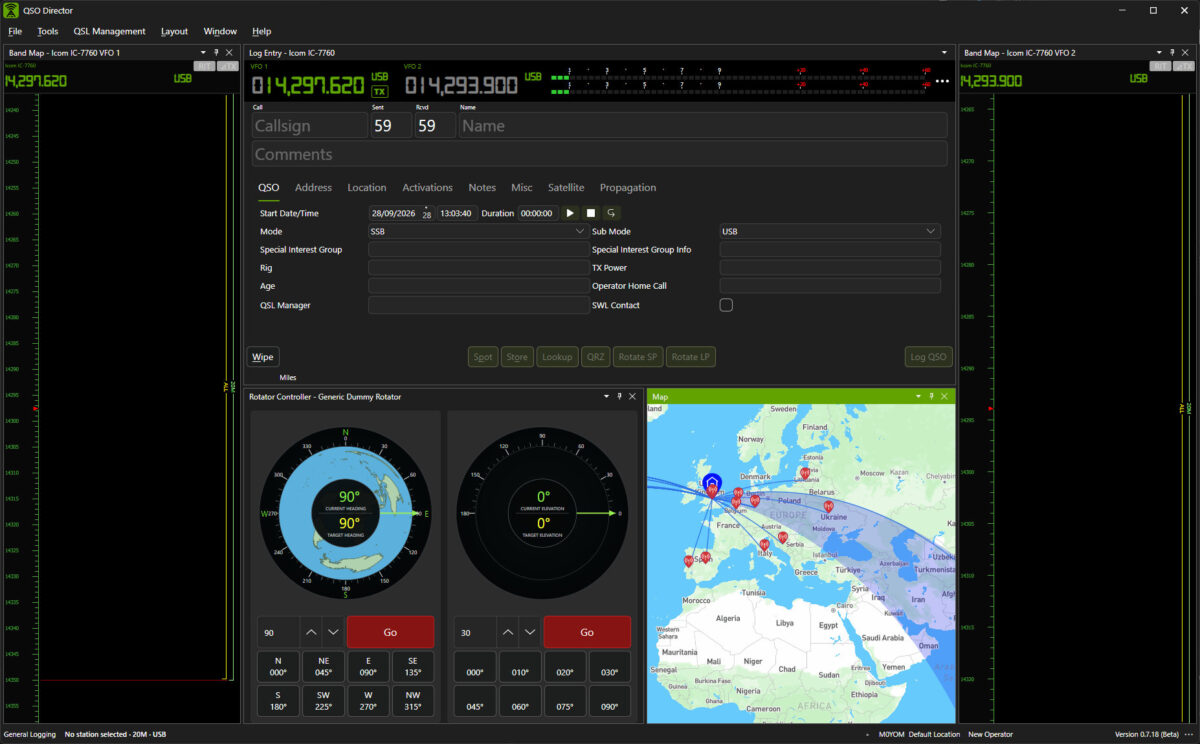
Your antenna is part of the station. Its control should be too
Traditional rotator control software often has one job: tell a controller to turn left or right.
QSO Director takes a different approach.
Rotator control sits inside the same operating environment as your radios, logbook, DX information, maps and other station hardware. Instead of another application competing for space on your desktop, antenna positioning becomes part of the station you operate through QSO Director.
Control
Turn your antenna from QSO Director
Command the rotator without switching to a separate hardware control application.
Monitor
See where your antenna is pointing
Keep the current antenna position visible while you operate.
Integrate
Keep station control together
Use rotator control alongside your radios, amplifiers and other QSO Director tools.
One rotator connection. A connected operating environment
Connect your rotator to QSO Director once and make antenna control part of your wider station setup.
The Rotator Controller gives you direct access to the hardware while QSO Director provides the operating context around it — from the station you're working to the direction in which your antenna needs to point.
No separate rotator utility. No disconnected control window. Just another part of your station available inside QSO Director.
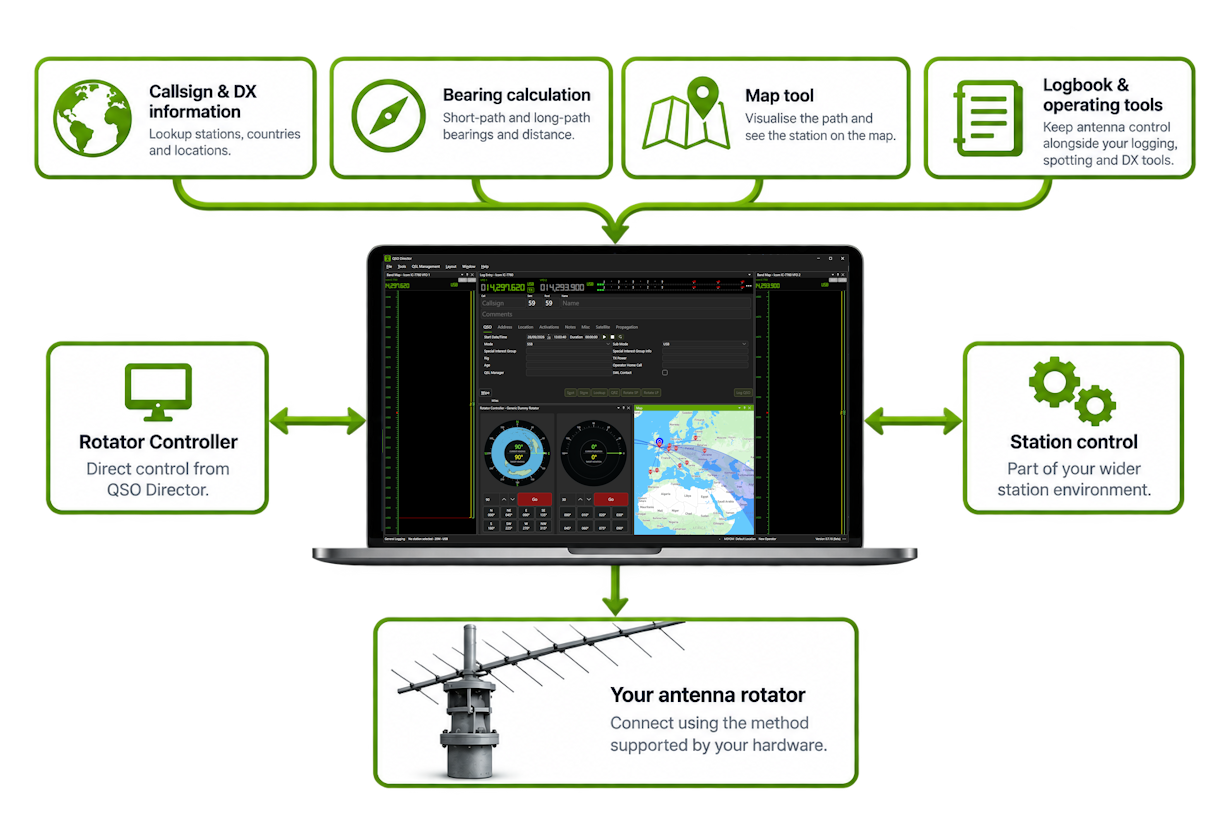
The controls you need, where you need them
The QSO Director Rotator Controller provides direct control of your antenna position from within your operating workspace.
See the current position, choose where you want the antenna to point and control movement without leaving QSO Director.
The interface adapts to the capabilities of the connected rotator, including azimuth and elevation where supported by the hardware.
Current position
See the reported azimuth — and elevation where available — from the connected controller.
Target heading
Choose the direction you want the antenna to point and command the rotator from QSO Director.
Movement control
Start or stop antenna movement directly from the Rotator Controller.
Hardware-aware controls
QSO Director works with the capabilities available from the connected rotator rather than assuming every controller works the same way.
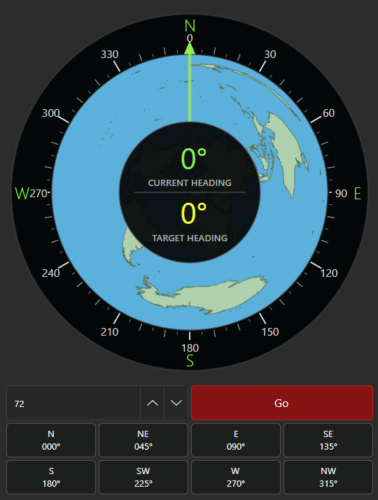
Built for stations with more than one rotator
A station doesn't have to stop at one directional antenna.
QSO Director lets you add multiple Rotator Controller tools and bind each one to the rotator you want to control.
Keep separate controllers available for different antenna systems and arrange them as part of the workspace that suits the way your station operates.
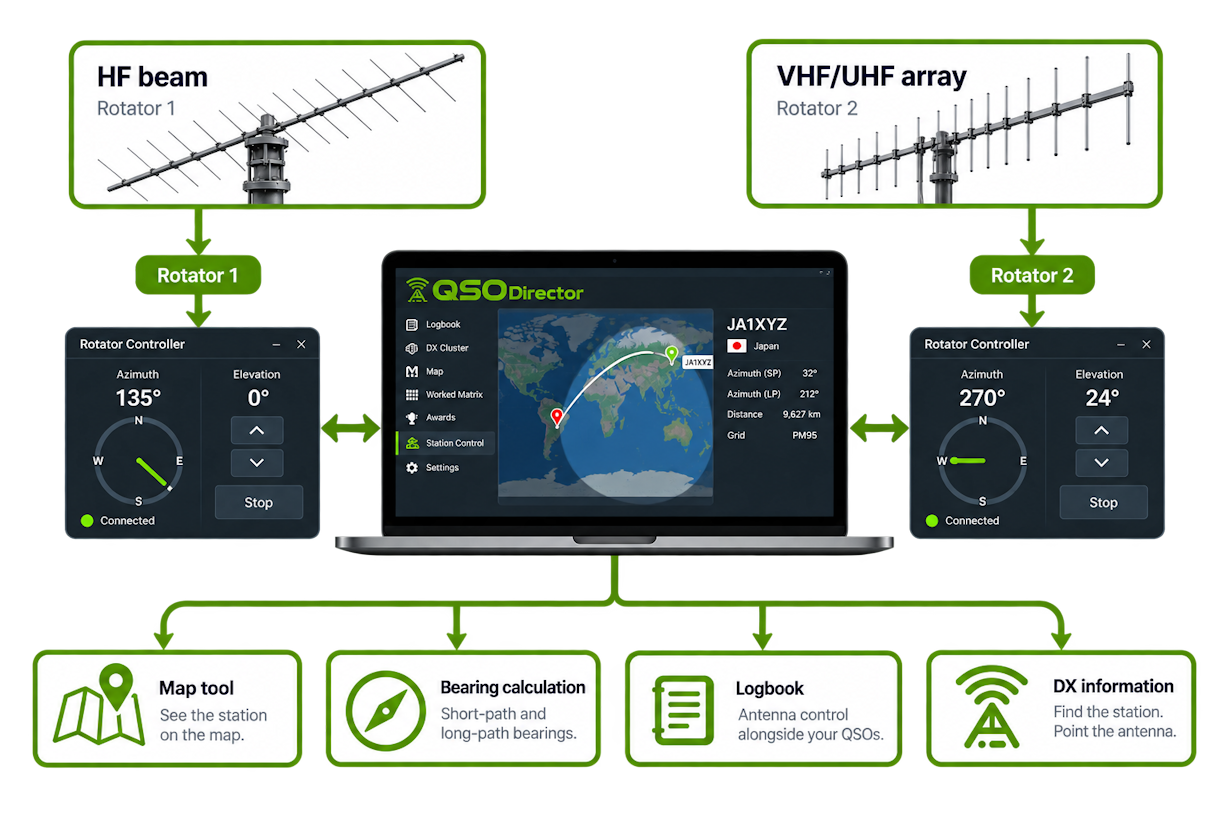
Whether your station has a single HF beam or multiple directional antenna systems, QSO Director gives each rotator a place within the same station environment.
From callsign to bearing
Rotator control becomes much more useful when the software controlling it also understands the contact you're trying to make.
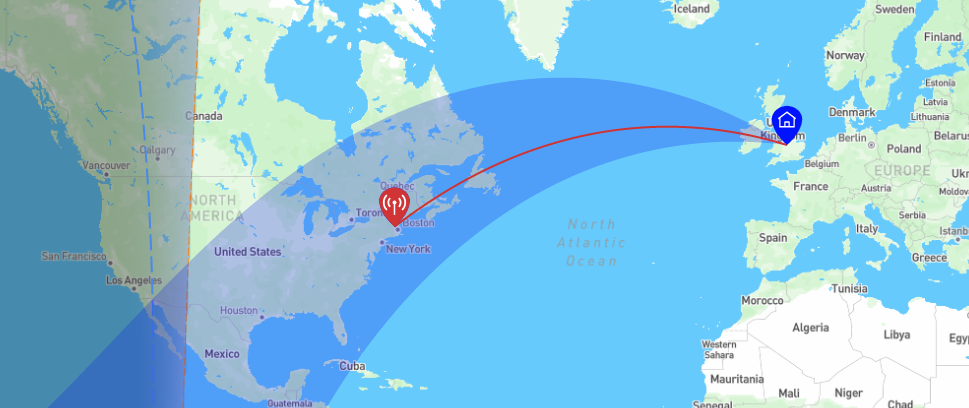
QSO Director calculates the direction and distance to stations using their location information, including both short-path and long-path bearings.
That information sits alongside the other tools you use while operating, helping you see not just where your antenna is pointing, but where the station you're interested in actually is.
Short-path bearing
See the direct great-circle bearing towards the station you're working or chasing.
Long-path bearing
When propagation favours the other direction, QSO Director also calculates the corresponding long-path bearing.
Visualise the path
Use QSO Director's mapping tools to put direction, distance and the path between stations into geographical context.
Your rotator tells you where the antenna is pointing. QSO Director helps you understand where it needs to point.
Connect the rotator you already own
QSO Director is designed to work with station hardware from different manufacturers rather than locking your station into a single ecosystem.
Support for rotators and rotator controllers is continually expanding, with each integration designed around the capabilities exposed by the hardware.
Check the Supported Hardware directory to see the currently supported models and connection methods.
Don't see your rotator? Let us know which model you'd like QSO Director to support.
Bring the rest of your station with it
Your rotator is only one part of the station.
QSO Director is being built around a connected approach to station control, bringing different types of hardware into the same operating environment rather than requiring a separate application for every device.

Radio Control
Connect and control supported transceivers and make radio information available throughout.

Amplifier Control
Monitor and control supported amplifiers alongside the radio and the rest of your station.

Rotator Control
Position and monitor directional antennas without leaving your QSO Director workspace.

Antenna Switching
Bring antenna selection and switching into the same station-control environment.
One application. Different manufacturers. One connected station.