
Connect supported amateur radio amplifiers directly to QSO Director for monitoring and control alongside the rest of your station.
See amplifier status while you operate, access supported controls without switching applications, and bring your amplifier into the same connected environment as your radios, rotators and other station hardware.
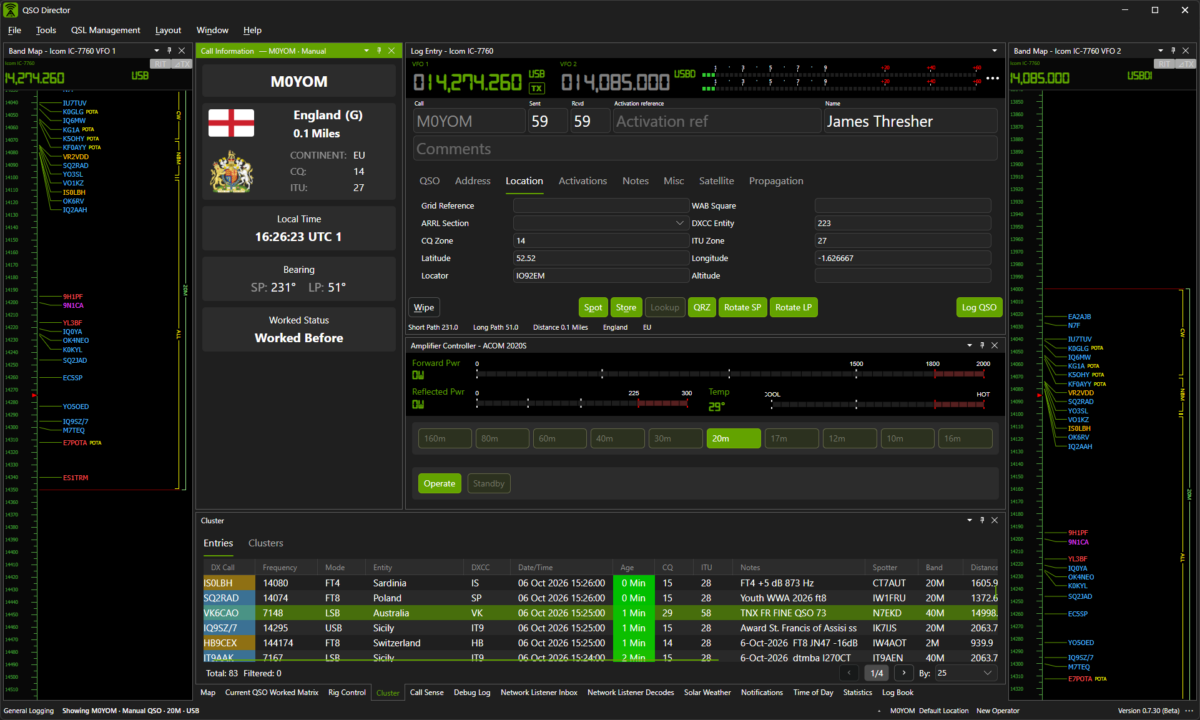
Your amplifier, without another application
Modern amplifiers can provide far more than simple transmit and standby control. Depending on the model, they can report operating state, power, SWR, temperature, alarms and other information about what is happening inside the amplifier.
QSO Director brings the information and controls supported by your amplifier into the same application you are already using to operate your station.
That means fewer separate manufacturer utilities and another part of your station brought into one consistent operating environment.
One connection. Amplifier control throughout your station.
Connect a supported amplifier to QSO Director and it becomes part of the wider station environment.
Instead of every feature needing its own connection to your amplifier, QSO Director manages the hardware integration and makes amplifier information available where it is needed.

See what your amplifier is doing
Keep amplifier information visible without interrupting the rest of your operating workflow.
Depending on the capabilities of the connected amplifier, QSO Director can surface operating information such as amplifier state, output power, SWR, temperature and other telemetry reported by the hardware.
When an amplifier exposes additional information or controls through its communications interface, QSO Director can take advantage of those capabilities rather than reducing every amplifier to the same basic set of functions.
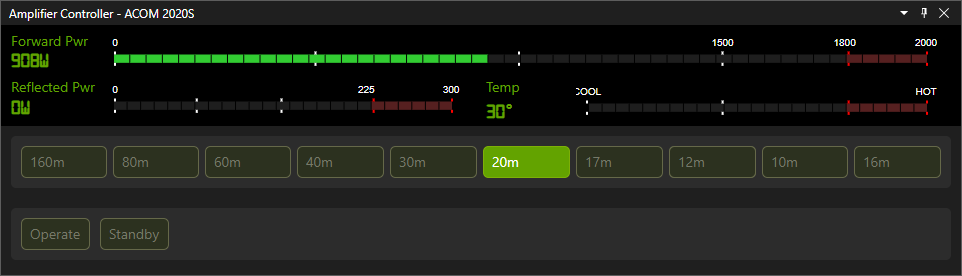
Operating status
See the current operating state of your amplifier at a glance.
Power & SWR
Monitor power and reflected-power or SWR information where supported by the amplifier.
Amplifier telemetry
View available operating information such as temperature and other model-specific telemetry.
Warnings & faults
Surface fault or warning information exposed by supported amplifier protocols.
Your amplifier doesn't operate in isolation
Your amplifier is only one part of the signal chain.
Your radio knows the frequency and operating mode. Your amplifier responds to what happens on transmit. Antenna switching may depend on the band in use. Other station hardware has its own state and requirements.
QSO Director is being built around the station as a whole rather than treating each device as an unrelated accessory.
By bringing supported hardware into the same application, amplifier control becomes part of a much wider station-control environment.
One station. One operating environment.

Whether your station has a single HF beam or multiple directional antenna systems, QSO Director gives each rotator a place within the same station environment.
Built for station automation
Connecting station hardware through a common application creates opportunities that isolated hardware utilities cannot provide.
QSO Director's station-control architecture is designed so radios, amplifiers, rotators, antenna switches and operating tools can increasingly work together as the product develops.
The goal isn't simply to reproduce the front panel of your amplifier on a computer screen. It's to make the amplifier a connected part of the station.
Connecting station hardware through a common application creates opportunities that isolated hardware utilities cannot provide. QSO Director's station-control architecture is designed so radios, amplifiers, rotators, antenna switches and operating tools can increasingly work together as the product develops.
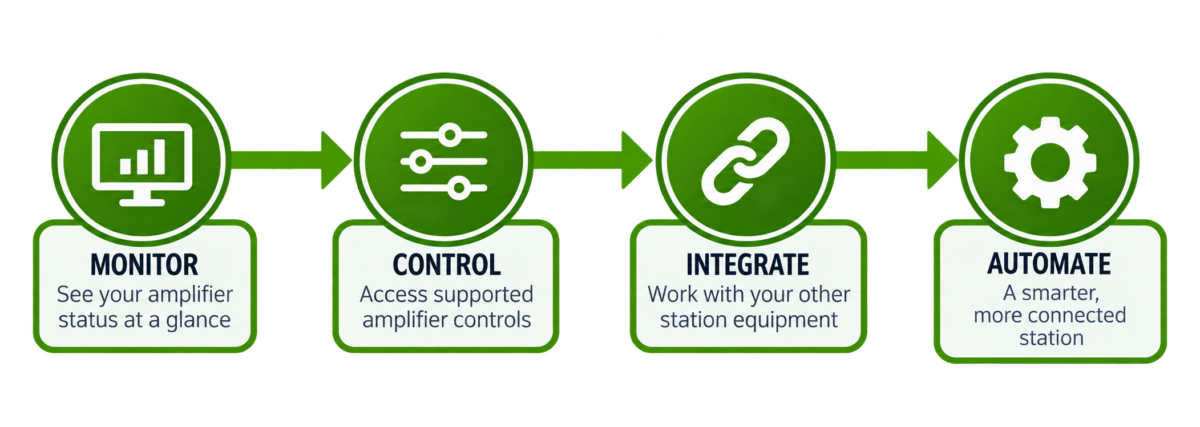
Control is useful. Integration is where it becomes powerful.
More than one amplifier? No problem.
Stations don't always have a single amplifier.
You might use different amplifiers for HF and VHF/UHF, dedicate hardware to particular radios or operating positions, or simply have more than one amplifier available within the station.
QSO Director's station-control architecture is designed around individual hardware connections rather than assuming every station has a single amplifier.
Configure the equipment your station actually uses and keep each amplifier identifiable within QSO Director.
Support for real amateur radio amplifiers
Amplifier control protocols vary considerably between manufacturers and models. QSO Director provides dedicated integrations for supported hardware so it can use the capabilities actually exposed by each amplifier.
Support is expanding as QSO Director's station-control capabilities develop.
Check the Supported Hardware database to see currently supported amplifiers, available connection methods and support status.
QSO Director is actively expanding hardware support. If your amplifier provides a documented computer-control interface, it may be possible to add support.
One application for more of your station
Amplifier control is one part of QSO Director's wider approach to station integration.
Connect your supported station hardware to a common operating environment and spend less time moving between separate utilities while you operate.

Radio Control
Connect your transceiver and make radio information available throughout.

Amplifier Control
Monitor and control supported amplifiers as part of your station.

Rotator Control
Control antenna direction without leaving your operating environment.

Antenna Switching
Bring supported antenna switching into the same station-control architecture.
One application. Different manufacturers. One connected station.
FAQ
Bring your station together
QSO Director combines logging, operating tools and station control in one cross-platform application for amateur radio.
Connect your supported hardware and build an operating environment around your station rather than around individual devices.
Available for Windows, macOS and Linux. Cancel anytime during your trial.