
Installing QSO Director on Windows is a very simple process.
Step 1 - Download the installation Files
In your browser, login to the QSO director admin portal at https://app.qso-director.com/Admin
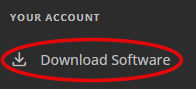
Open the "Download Software" page using the menu on the left then click the "download" button for your type of Mac under the Mac Icon. This will usally be the Arm64 version for any mac using the Apple M series processors, however if you have an older Mac using an intel processor then use the x64 download button.
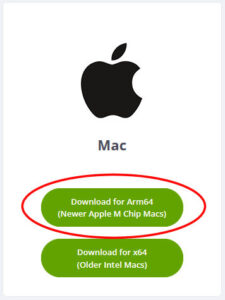
The software download will begin.
Step 2 - Launch the installation
From your browser's downloaded files, launch the file you have just downloaded (It should be called 'QSODirector-macos-arm64-release-Setup.pkg' or 'QSODirector-macos-x64-release-Setup.pkg' if you are using an Intel based Mac).
The software installation will now begin. Follow the on screen instructions.
Once the installation is complete the application will launch automatically or alternativly you can now launch QSO Director from the MacOS LaunchPad.